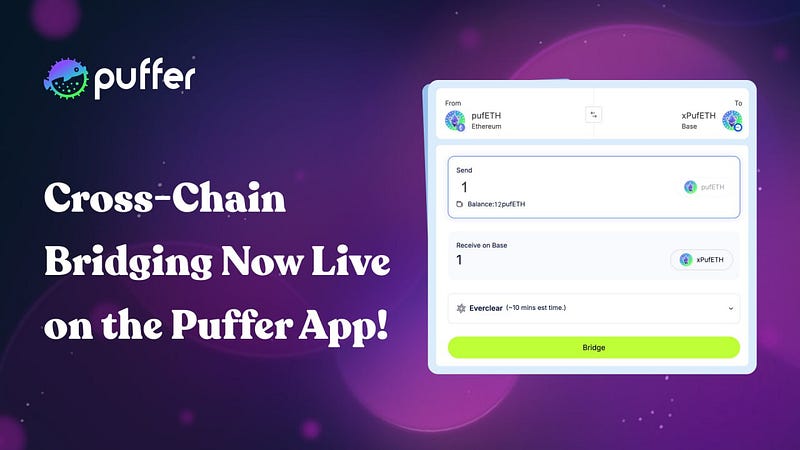
Cross-Chain Bridging Now Live on Puffer App!

Move Your pufETH Across Chains Seamlessly
Puffer now supports cross-chain bridging directly within its app, making it easier than ever to move $pufETH across multiple networks.
Whether you’re joining a vault on Base, diversifying your strategy across chains, or exploring ecosystems like Berachain and Soneium, the bridge tab offers a secure and straightforward way to transfer your pufETH between networks.
Puffer integrates two trusted third-party providers: Everclear and Chainlink CCIP. The app automatically selects the appropriate service depending on your destination chain.
Below is a step-by-step guide to using each provider.
Everclear: Transfers Across Major Ethereum-Based Chains
Bridging via Everclear is available for the following networks:
- Ethereum
- Base
- BNB Chain
- Arbitrum
- Zircuit
- Apechain
This integration offers fast finality and preserves a 1:1 representation of your pufETH across supported chains.
After bridging, you will receive xPufETH on the destination chain, which can later be unwrapped to pufETH when returning to Ethereum mainnet.
How to Bridge Using Everclear
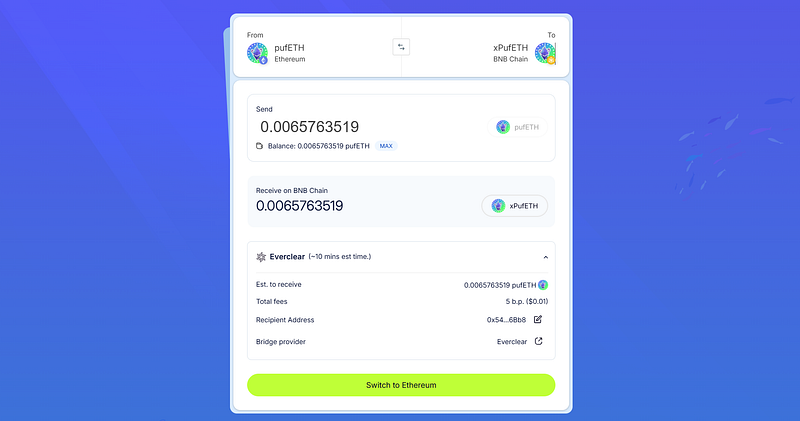
- Connect your wallet at app.puffer.fi/bridge
- Select your source chain and pufETH token
- Choose your destination chain
- Enter the amount you wish to bridge
- Click Bridge and confirm the transaction in your wallet
- You will receive xPufETH on the destination chain once the transaction is finalized
You can monitor the transaction status via the Everclear Explorer.
How to Unwrap xPufETH
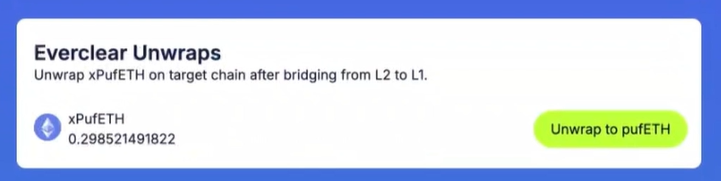
When you bridge pufETH to another chain using Everclear, you receive xPufETH on the destination chain. To convert it back to pufETH on Ethereum mainnet, follow these steps:
- Navigate to the Everclear Unwraps section on the bridge tab
- Click the Unwrap to pufETH button
Unwrapping becomes available once the bridge intent status is marked as Completed by Everclear. This process may take a few minutes after the initial transaction.
Chainlink CCIP: For Soneium and Berachain
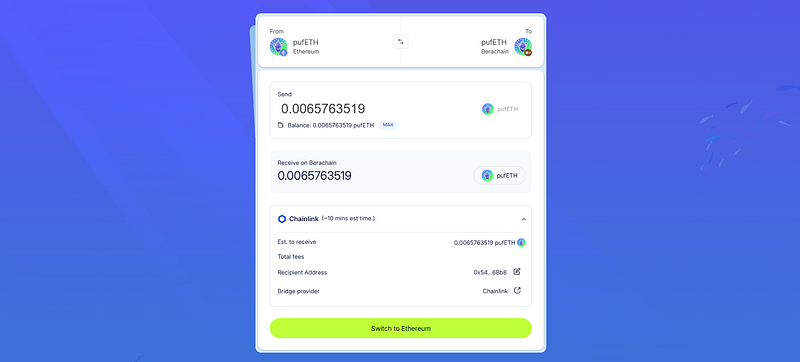
For transfers to Soneium and Berachain, Puffer uses Chainlink CCIP (Cross-Chain Interoperability Protocol). This system is designed for secure and verifiable cross-chain communication, even in newer or emerging ecosystems.
You can track your transaction on the Chainlink CCIP Explorer.
How to Bridge Using Chainlink CCIP
- Connect your wallet
- Select the source chain and token
- Choose Soneium or Berachain as the destination
- Enter the desired amount of pufETH
- Click Bridge and confirm the transaction in your wallet
- After completion, follow the link provided to track the status in the Chainlink Explorer
Timing and Completion
You will receive your tokens once the bridge intent is marked as Completed by the service provider. Depending on network conditions and processing times, this may take several minutes.
Final Thoughts
The addition of integrated bridging marks an important milestone for Puffer. By offering seamless access to trusted bridge providers within the app, users can now transfer their pufETH across chains quickly, securely, and without relying on external tools.
To start bridging, visit: https://app.puffer.fi/bridge
About Puffer Finance
Puffer Finance is a leading innovator in Ethereum infrastructure, focusing on next-generation rollups supported by liquid restaking (LRT) and preconfirmation as an AVS. With products like Puffer UniFi and Puffer UniFi AVS on EigenLayer, we are dedicated to enhancing Ethereum’s decentralization. Visit puffer.fi for more information.